


Arcadia Mahjong
4.91.60K Reviews
App Specs
- Version
- 0.0.93
- Updated On
- License
- Free
- Downloads
- 500,000+
- Developer
- Metajoy
- Categories
- Board
- Platform
- Android, iOS
Screenshots
 Analysis by AppCompare
I spent time with Arcadia Mahjong as a relaxed board-game option, paying particular attention to how comfortably it can be used by people with different abilities and in different everyday situations. It is a free mahjong tile-matching game from Metajoy, aimed at Everyone, and its central appeal is easy to understand: open the game, look for matching tiles, and clear the board at your own pace. That simplicity makes it approachable, but it also means the quality of the experience depends heavily on how clearly the board communicates what can be selected.
My overall impression is positive for players who want a quiet puzzle rather than a competitive mahjong table or a complicated strategy game. The large-tile focus is especially useful for older players and anyone who finds dense mobile interfaces tiring. At the same time, I would not treat it as automatically comfortable for every player. Tile puzzles demand sustained visual attention, repeated tapping, and careful tracking of symbols, so the game’s accessibility is strongest in calm surroundings and weaker when the screen, hands, or concentration are already under strain.
How the board reads and how navigation feels
I find the board easiest to approach when I give myself a moment to map its layout before choosing a pair. In this section, I’ll focus on how the size and arrangement of the tiles affect scanning, and on a simple way to keep track of likely matches without rushing. That visual routine also sets up the question of how comfortable the game feels to use physically.
Large tiles make the first few minutes less intimidating
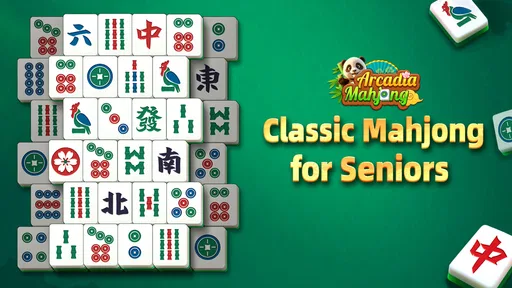
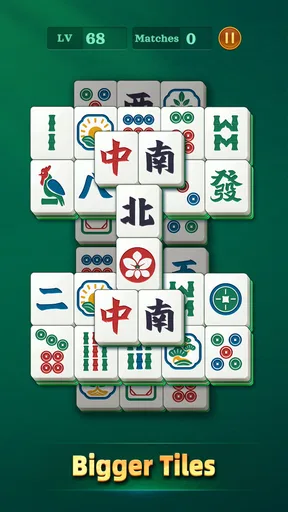
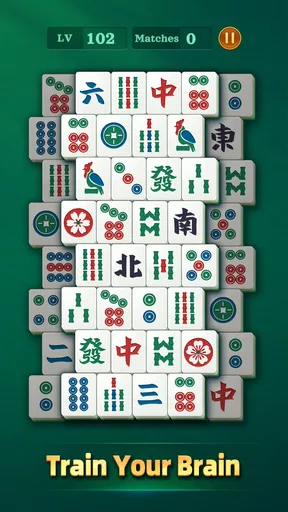
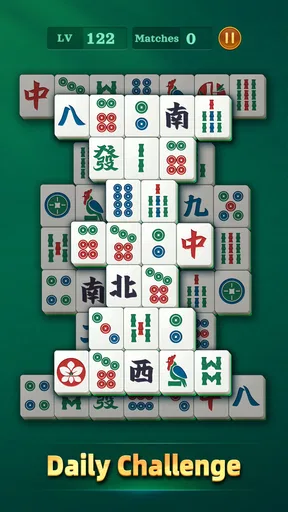
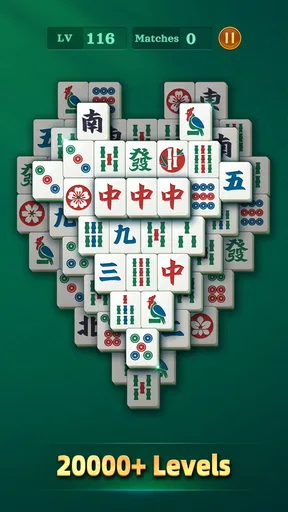
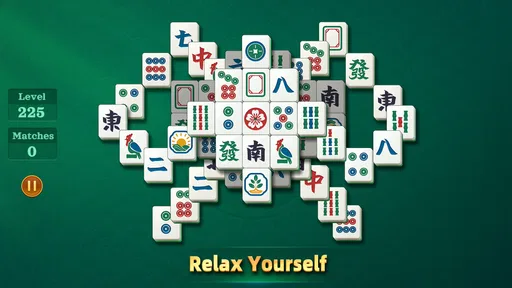
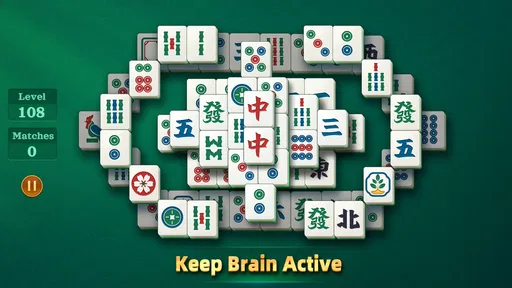
The most helpful design choice is the emphasis on large mahjong tiles. A matching puzzle can become frustrating when symbols are tiny or packed too closely together, especially on a phone held at a normal distance. Here, the board is easier to inspect than the cramped layouts I associate with many quick puzzle games. I can focus on finding pairs instead of immediately fighting the interface.
That matters for more than older players. Someone with tired eyes after a long day, a user playing on a smaller phone, or a person who simply dislikes visually busy games can benefit from the generous presentation. The familiar tile format also reduces the learning burden. I did not need a long tutorial to understand the basic task, and the game does not ask me to memorize a complicated control scheme before I can begin.
There is a useful distinction between large visual targets and genuinely effortless reading. Bigger tiles help me identify the board, but mahjong symbols can still look similar when several are exposed at once. The experience rewards patience: I get better results when I scan one region at a time rather than trying to process the whole arrangement in a single glance.
Navigation is best when I treat it as a calm routine
Arcadia Mahjong works well as a short, repeatable routine. I can sit down, inspect the available pairs, make a few moves, and stop without needing to remember a story, a character build, or a long chain of objectives. That makes it a reasonable choice for a quiet break, a waiting room, or a few minutes before bed.
Worth Reading Before You Choose

EA SPORTS FC Mobile 26 Is a Bigger Football Game, but It Takes Time

Flipboard Shows What News Apps Must Do Beyond the Feed

Switching to Android Auto Means Rethinking Your Driving Routine

Google Calendar Makes a Crowded Week Easier to Manage

Ludo King Makes the Most of the Minutes Between Plans

Baby Panda World Brings Quick Play to Modern Phones, but Its Game Library Feels Busy
The simple structure is also helpful for people who are uncomfortable with fast menus. There is no need to learn several gestures or react to a timer in the middle of every move. A player can look, decide, and tap. In my experience, that slower rhythm is more welcoming than a puzzle that constantly pushes the next action before I have finished understanding the current one.
Still, a simple board does not remove every navigation concern. Tile games can make it easy to lose track of where a pair came from, particularly after the board becomes more open and scattered. My practical tip is to use a consistent scan pattern, such as moving from the top left across each row, instead of jumping randomly between attractive matches. This is not a special mode or hidden assistant; it is a small habit that makes the visual workload noticeably easier.
What the rating and platform details mean in practice
The game is listed for Android devices running at least version 7.0, so it is not restricted to only the newest phones. That broad compatibility can be useful for families sharing an older device with a parent or grandparent. The game is free to start, and its age rating is Everyone, which fits its nonviolent, straightforward board-game presentation.
Metajoy’s title has reached over 500 thousand installs, with an average rating of 4.9 from around 21 thousand ratings. Those figures suggest that the basic experience is resonating with a substantial group of players, although popularity alone cannot tell me whether it will suit a particular visual, motor, or sensory need. I would use those numbers as encouragement to try it, not as a substitute for checking how the board feels on the intended device.
Motor, visual, and sensory considerations
A board can be readable yet still ask a lot of the hands and eyes, so I think it helps to consider those demands separately. I’ll look at the practical effect of deliberate tapping and sustained symbol-matching, including when a supported device position may make play easier. Those details matter even more once the game leaves a quiet room and enters ordinary daily routines.
Why the tapping style can be comfortable
For many players, the main physical demand is repeated tapping on tiles. That is simpler than games requiring rapid swipes, multi-finger gestures, or precise dragging. I can keep one hand on the phone and make deliberate selections, which is useful for someone with limited dexterity or for anyone playing while seated in a relaxed position.
The board also supports a low-pressure approach to movement. I do not need to flick quickly across the screen or coordinate several actions at once. A player who has difficulty with speed may be more comfortable here than in a timed matching game. The trade-off is that accuracy still matters: a tap must land on the intended tile, and repeated corrections can become tiring if touch control is already difficult.
My best practical advice is to hold the device in a stable position rather than playing with it balanced loosely in one hand. Resting it on a table or using a case with a secure grip can reduce accidental movement. That is particularly useful when the board is crowded and two neighboring tiles appear close together.
Visual clarity helps, but symbols remain the real test
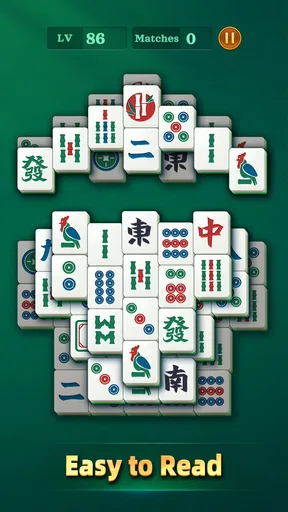
The large presentation is a meaningful advantage, yet the game is not visually effortless for everyone. Mahjong tiles contain detailed characters and patterns, and some pairs may require close comparison. Players with reduced contrast sensitivity, color-vision differences, or difficulty distinguishing similar symbols may still need more time than the store summary implies.
I found that the game is most comfortable with the screen brightness adjusted to the room rather than left very dim. Glare can make patterned tiles harder to separate, while excessive brightness can create its own fatigue. A larger phone or tablet may improve the experience because it gives the board more physical room, but the benefit depends on whether the player can comfortably hold or position that device.
One non-obvious way to make sessions easier is to stop treating every move as a race. I first identify a pair, then pause to check whether another tile is blocking access or whether removing it will expose a better option. This reduces frantic visual switching and makes the puzzle feel more manageable for players who need extra processing time.
Sound and surroundings can change the experience
Mahjong matching is naturally more visual than auditory, so the game can be appealing to someone who prefers not to rely on spoken instructions. I can understand the basic objective by looking at the board. That makes it easier to play quietly in a shared room or when headphones are undesirable.
However, visual dependence is also a limitation. A player who cannot comfortably see the tile symbols will not receive the same benefit from the otherwise simple rules. I would not recommend choosing this game as an accessible option solely because it is calm or suitable for Everyone. The relevant question is whether the player can distinguish the tiles and accurately tap them on the device being used.
Playing in real situations rather than ideal conditions
The appeal of a calm tile puzzle depends on where and when someone plays it, not just on the rules. I’ll consider settings such as a shared family device or a short break, and explain why motion, glare, and divided attention can change the experience. From there, it becomes easier to distinguish ordinary inconvenience from barriers that are harder to work around.
A good fit for quiet breaks and shared devices
A realistic use case is a family tablet kept in a living room. An older relative can open a free board game without needing to understand a complex account system or competitive ranking structure, while another family member can sit nearby and help identify a difficult pair. The large-tile design gives a helper something concrete to discuss: “look at these two symbols,” rather than trying to explain a complicated control sequence.
It also works for a player who wants a screen activity with a clear stopping point. I can play a little, put the phone down, and return later without feeling that I have abandoned a team or missed a time-sensitive event. That makes it more suitable for irregular routines than many online multiplayer board games.
The game is less comfortable on a moving bus or while walking between places. Even without fast action, the board requires concentration and accurate tapping. Motion, reflections, and one-handed use can turn a relaxing puzzle into a sequence of mistaken selections. If I am traveling, I would choose a stable seat and keep the session short rather than assuming “offline” automatically means convenient everywhere.
Offline appeal and the limits of that expectation
The game is presented as an offline tile-matching experience, which is valuable for people who want a puzzle during connectivity gaps or who prefer not to depend on a live opponent. That changes the mood compared with online mahjong rooms: there is no social pressure to play at someone else’s speed, and the board can be approached as a personal concentration exercise.
Offline play is not the same as universal access, though. A player still needs a compatible Android device, enough battery, and a screen that makes the symbols readable. Someone looking for cross-device progress, social competition, or a traditional four-player mahjong match should consider a different kind of app. This is a tile-matching puzzle, not a substitute for learning or playing the full tabletop rules of mahjong.
Free entry, with a purchase decision worth considering
Because the game is free, it is easy to test without committing money first. That is important for accessibility because the right experience can depend on a person’s eyesight, touch accuracy, and comfort with the board. I would install it on the actual device the intended player will use, play several boards, and judge the physical effort before considering any purchase.
In-app items cost $5.99 each. That does not make the free starting point unattractive, but it does mean I would be cautious about buying anything simply to solve a moment of frustration. First check whether the difficulty comes from the puzzle itself, from glare, from a small display, or from difficulty tapping accurately. An in-app purchase cannot fix those physical barriers.
For families, this is also a good moment to set expectations. A free game can still present optional spending, so a shared device should be used with the same care as any other app offering purchases. The Everyone rating describes the content, not the suitability of every purchase decision for every household.
Where the experience still creates barriers
I would not assume that large tiles make the game accessible to everyone; symbol recognition and accurate touch remain central to play. In this section, I’ll weigh those limits against the benefits of a slower, straightforward puzzle, so readers can judge whether it suits their own needs. That leads naturally to a clear sense of who is most likely to enjoy it—and who may be better served by another option.
Tile recognition can become tiring over longer sessions
The same visual focus that makes the game understandable can become repetitive. I enjoy the quiet concentration at first, but extended sessions ask me to compare many small details again and again. Players with visual fatigue, headaches, or attention difficulties may find that a short session is comfortable while a long one is not.
My recommendation is to use the game in defined intervals: finish a small stretch, look away from the screen, and return only if the board still feels clear. This is especially important for older users who may continue playing because the rules are easy, even after their eyes have become tired. The best experience is not necessarily the longest one.
Touch accuracy remains a practical concern
Large tiles provide more room than a dense puzzle layout, but the player still has to select the correct tile. Anyone with tremors, reduced finger control, or difficulty maintaining a steady grip may experience accidental taps. A stylus or a supported device position could help some people, although the usefulness of those solutions will vary with the individual and the phone’s touch response.
I would also avoid playing immediately after carrying something heavy, outdoors in bright glare, or while holding the phone at an awkward angle. Those situations make a simple tap less reliable. The game’s gentle pace gives me time to be careful, but it does not remove the need for physical precision.
It may be too quiet for players seeking variety
Compared with a traditional digital mahjong app, the appeal here is the matching puzzle rather than a deep ruleset, table management, or competition. Compared with a fast casual puzzle, it is slower and more visually deliberate. That middle position will suit some players and disappoint others.
I would skip it if I wanted multiplayer interaction, a strong narrative, constant novelty, or a game built around rapid reflexes. I would also look elsewhere if I needed a clearly adjustable interface for a particular disability rather than a generally readable board. Arcadia Mahjong’s strength is its uncomplicated tile activity, not a large collection of specialized controls.
Version and expectations
The current version is 0.0.93, which places the app in a relatively early-looking versioning stage. I would approach it as a focused puzzle that may continue to change rather than as a fully feature-rich mahjong platform. That is not automatically a problem, especially if the core board already meets a player’s needs, but it is another reason to judge the actual experience instead of expecting advanced accessibility customization.
Players should also separate “easy to understand” from “easy for every body.” The rules are approachable, and the large tiles lower the visual barrier, but the game remains dependent on seeing symbols, maintaining attention, and tapping accurately. That honest distinction is the most important thing to keep in mind before recommending it to someone else.
My inclusive verdict
I recommend Arcadia Mahjong to anyone who wants a free, quiet tile-matching game with a readable starting point and no pressure to compete. I especially see value for older players, casual puzzle fans, and families looking for a simple activity on a shared Android device. Its large-tile presentation is not a minor cosmetic choice; it directly improves the first-contact experience and gives players more time to inspect the board.
My recommendation comes with a clear condition: try it on the intended screen and in the intended setting. A stable device position, reduced glare, sensible brightness, and a deliberate scan pattern can make the difference between a comfortable session and a tiring one. Those small adjustments are more useful than assuming a general Everyone rating guarantees personal accessibility.
Against traditional mahjong games, this is the better choice for quick, solitary matching rather than authentic table play. Against fast mobile puzzles, it is better for players who prefer patience and visual planning over reflexes. It is not the right choice for users who need extensive control customization, social play, or a game that can be enjoyed without relying on visual tile recognition.
Metajoy has kept the core idea approachable, and the strong response of around 21 thousand ratings reflects how well that straightforward format works for many people. In my experience, the game earns its place as a gentle board puzzle because it respects the player’s pace. The most inclusive way to use it is to treat readability and physical comfort as part of the game, not as afterthoughts. If the tiles remain clear and tapping feels manageable, Arcadia Mahjong is an easy recommendation for a calm break; if either of those basics fails, a different puzzle with stronger customization will be a better fit.
Pros
- Easy-to-learn rules make it welcoming for casual players.
- Relaxing tile-matching gameplay suits short
- stress-free sessions.
- Colorful visuals make tile patterns easy to distinguish.
- Progression provides a clear sense of achievement.
- Playable at your own pace without requiring fast reflexes.
Cons
- Repeated layouts may feel familiar after extended play.
- Some levels can become noticeably more difficult than others.
- Small tiles may be harder to read on compact phone screens.
- Limited gameplay variety may reduce long-term replay value.
- Ads or optional purchases may interrupt the overall experience.
FAQs for Arcadia Mahjong
What is Arcadia Mahjong?
Arcadia Mahjong is a digital mahjong game focused on traditional tile-matching gameplay, presented through a colorful and accessible interface. Depending on the version available on your device, it may include different layouts, levels, challenges, and visual themes. It is designed for players who enjoy relaxed puzzle sessions, although later stages can become more demanding and require careful planning.
How do you play Arcadia Mahjong?
The main objective is generally to clear the board by matching identical, available mahjong tiles. A tile can usually be selected only when it is not covered and has at least one free side. Successful play depends on recognizing pairs, avoiding moves that block future matches, and managing the board carefully. Taking your time is often more effective than tapping quickly.
Does Arcadia Mahjong work offline?
Arcadia Mahjong may allow you to play at least some puzzle levels without a constant internet connection, which makes it suitable for travel or short breaks. However, online access can still be required for advertisements, cloud progress, updates, events, leaderboards, or in-app purchases. It is best to launch the game online once after installation and check which features remain available offline.
Is Arcadia Mahjong free to download and play?
Arcadia Mahjong can typically be downloaded without an upfront purchase, but the free version may be supported by advertising or include optional in-app purchases. These purchases can sometimes provide hints, extra lives, boosters, cosmetic content, or other conveniences. Before confirming any transaction, review the store listing and your device’s purchase settings, especially if children may use the device.
Is Arcadia Mahjong suitable for beginners and children?
Arcadia Mahjong is generally approachable for beginners because the core rules are easy to understand and the tile-matching format does not require previous mahjong experience. Nevertheless, difficulty may increase as boards become more complex. Parents should review the app’s age rating, advertising, privacy information, and purchase options before allowing children to play, since available features can vary between Android and iOS versions.


